AI Clips is VidFabs’ flagship Pro feature. Feed it one or many long videos (podcasts, streams, lectures, gameplay commentary) and it produces ready-to-post short clips with captions, either burned into the picture or saved alongside as subtitle files.
How it works
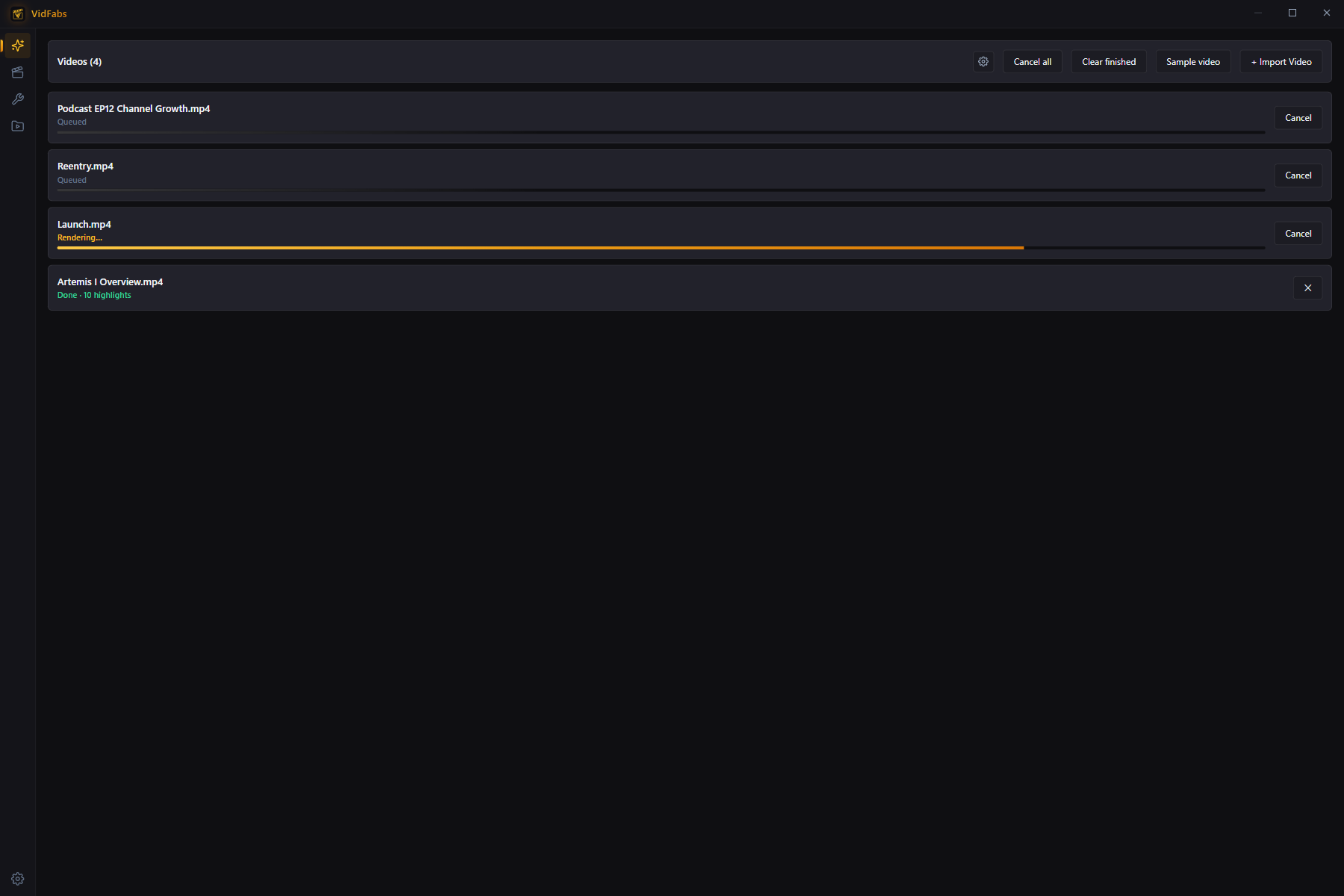
Each video moves through a fully visible pipeline:
- Queued — videos wait their turn; queue up to 20 at once.
- Downloading AI model — first run only: the speech-recognition model is fetched once and cached locally, with a progress bar.
- Transcribing — a Whisper-family model converts speech to timed text entirely on your machine. Your audio never leaves the device.
- Selecting highlights — the transcript is sent to your configured LLM, which scores and picks up to 10 highlights per video.
- Rendering — each highlight is cut, reframed, and rendered with its captions.
Cancel any task (or everything) at any point; finished items can be cleared in one click.
Reviewing results
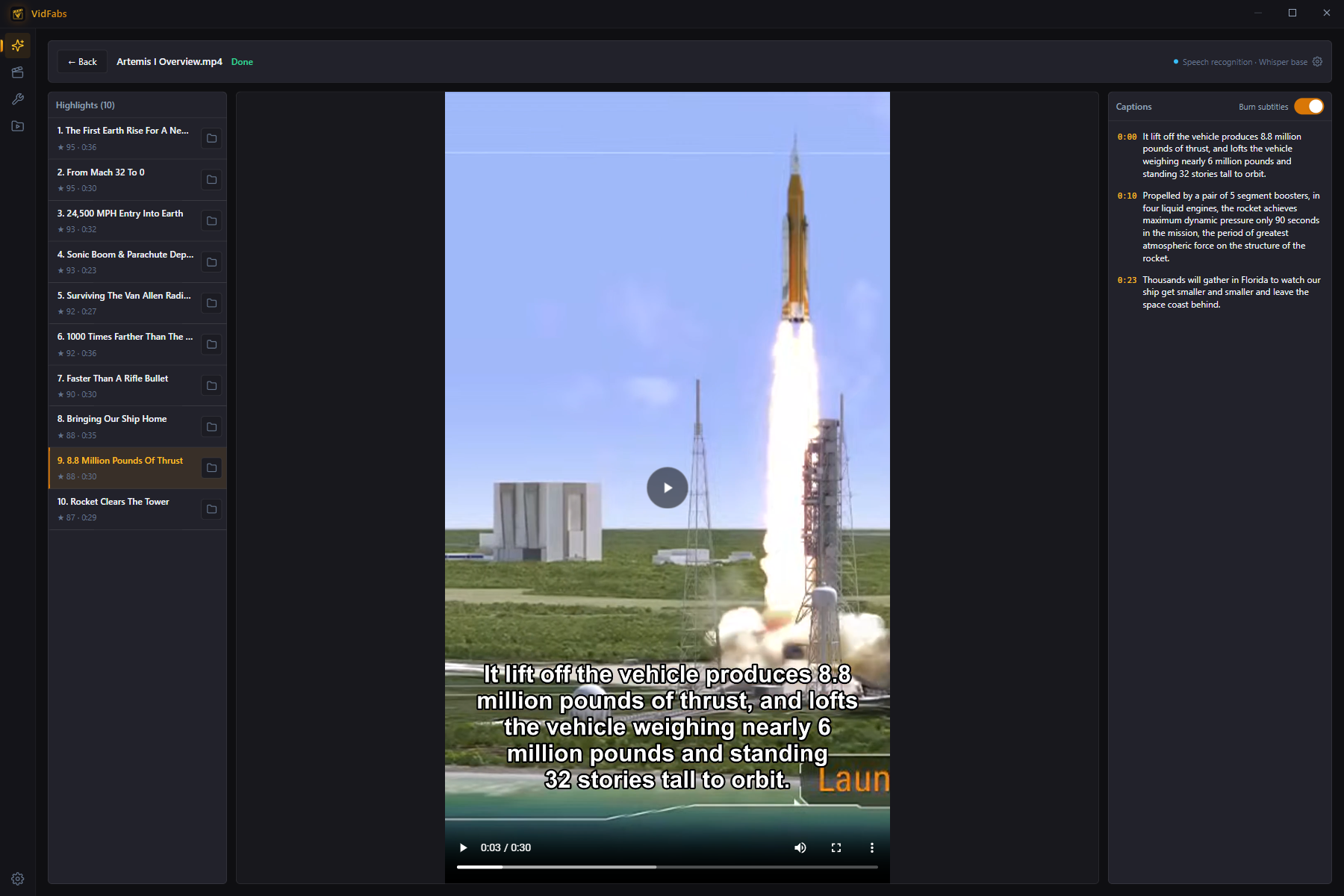
Select a finished video to browse its highlights: preview each clip, read its captions, and open the output folder.
Burn subtitles is optional and off by default. Switch it per video from the
results view (finished clips re-render), or change the default for new videos in
Settings → AI → Burn subtitles into video. When it is off, each clip gets a
sidecar .ass subtitle file next to it instead.
Setup (one time)
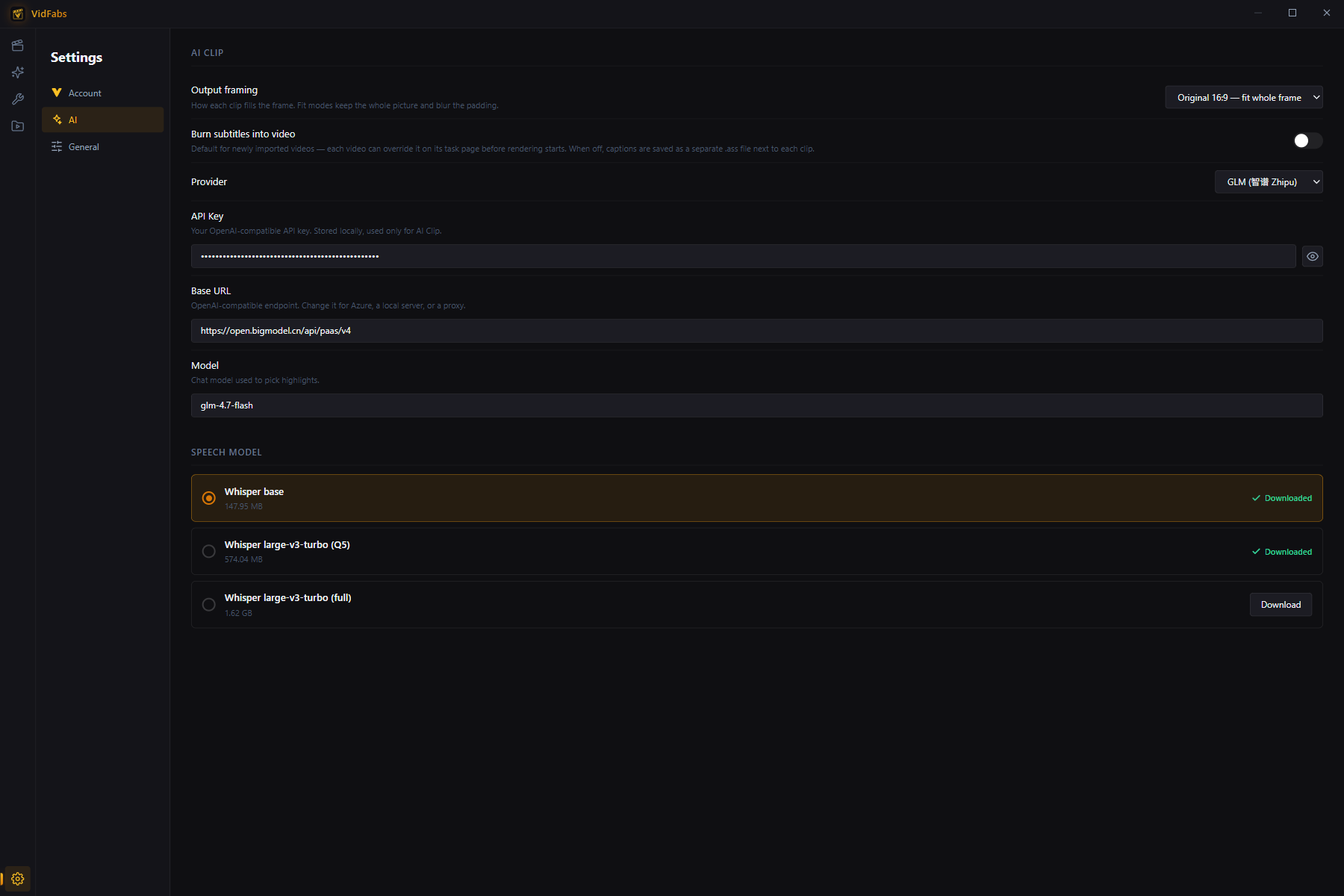
AI Clips needs two things, both configured in Settings → AI:
- Speech model — pick a recognition model; larger models are more accurate. Pro includes the highest-accuracy model. Downloads happen in-app with progress and can be cancelled.
- LLM API — an OpenAI-compatible API key of your own. Provider presets, custom Base URL (Azure, local server, proxy) and model name are all configurable. The key is stored locally and used only for AI Clips.
Output framing
Choose how clips fill the frame (Settings → AI → Output framing):
- Portrait 9:16 — crop: fills a vertical frame, ideal for Shorts/TikTok/Reels.
- Portrait 9:16 — fit: keeps the whole picture, blurs the padding.
- Original 16:9 — fit: classic landscape output.
Privacy
Transcription is 100% local. The only data sent off-device is the text transcript to the LLM endpoint you configured — never the video or audio itself.
Availability
AI Clips on your own videos is a Pro feature. On the free tier you can still run the built-in sample video end to end, with no license or API key needed: transcription and rendering run on your machine, and the highlights come from a ready-made selection instead of a live LLM call. The first run downloads the sample video and the speech model. Processing your own videos unlocks the moment a license is activated.