Turn long videos into shorts with AI,
then perfect every frame
AI Clips & Advanced editor · Pro · WindowsVidFabs transcribes your videos locally, picks the best moments with your own LLM and batch-renders captioned vertical shorts — then fine-tune frame by frame. Your video never leaves your PC.
Free: Quick editor · 12 tools · 1080p · no watermark · AI Clips sample run
macOS — Quick editor coming soon
Unsigned installer — if Windows SmartScreen appears, click “More info” → “Run anyway”.
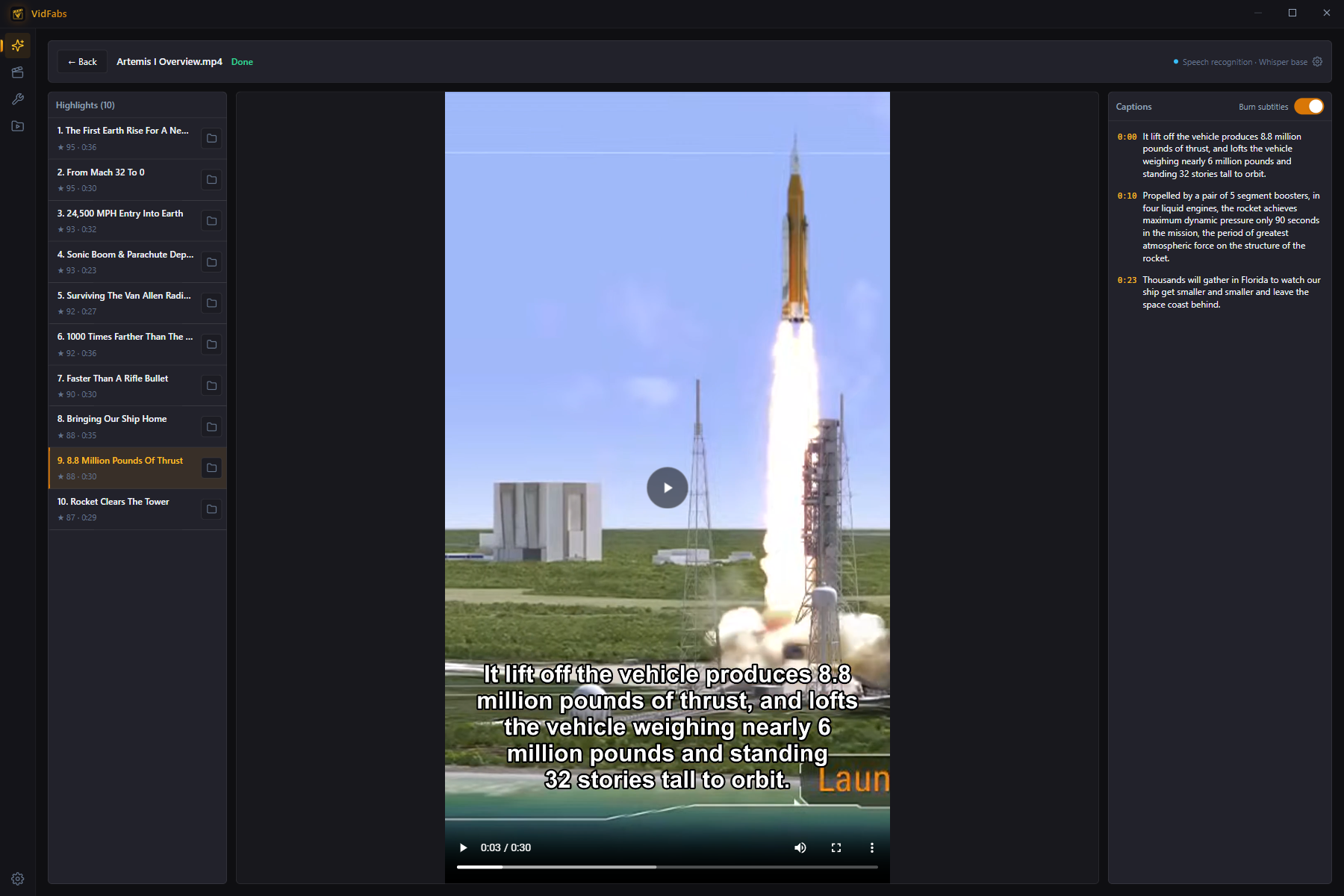
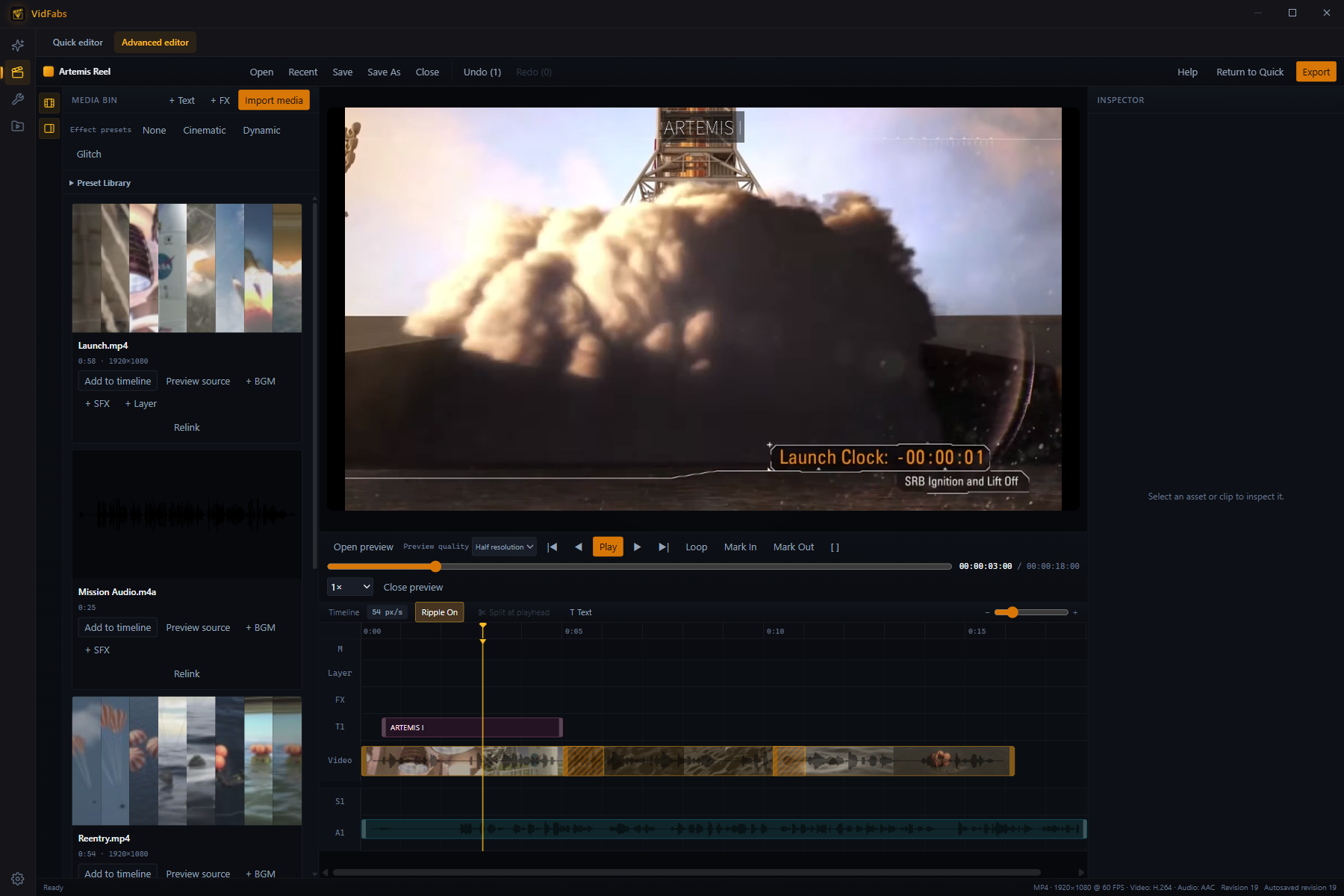
Long videos in, captioned shorts out
Point it at podcasts, streams, lectures or gameplay. VidFabs transcribes and renders; your LLM picks the highlights.
Queue up to 20 videos
Podcasts, streams, lectures, gameplay — add them all and let them run.
Transcribe on your PC
Multilingual Whisper models turn speech into timestamped text locally.
AI picks the highlights
The LLM you configure picks up to 10 highlights per video.
Batch-render shorts
Cut to vertical 9:16 (or a 16:9 landscape frame), add captions — burned in or saved as a separate subtitle file — and render in one go.
- Your video and audio never leave your PC — only the transcript goes to your own LLM endpoint.
- Needs your own OpenAI-compatible API key.
- No key yet? Run the full pipeline free on a sample video (internet required).
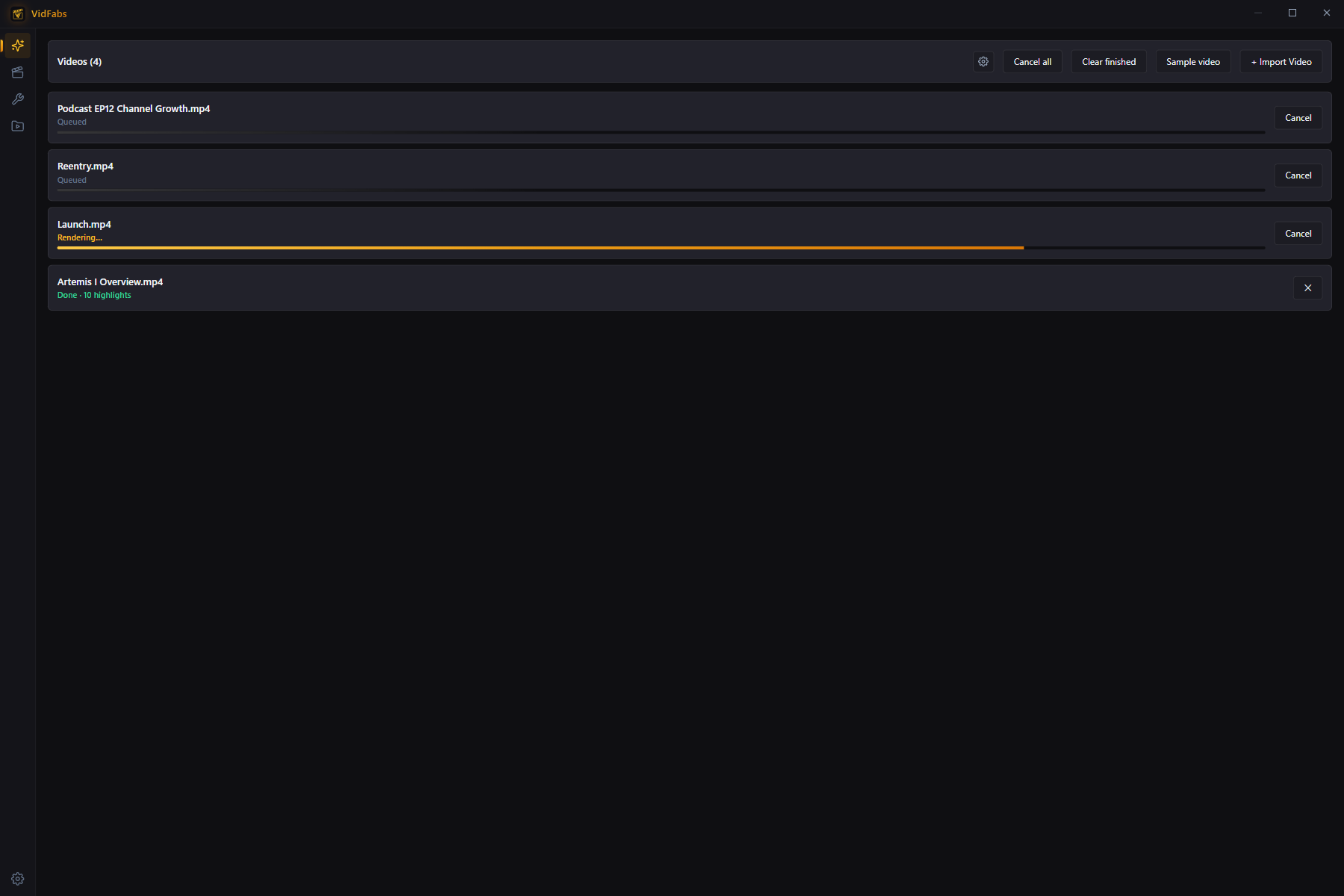
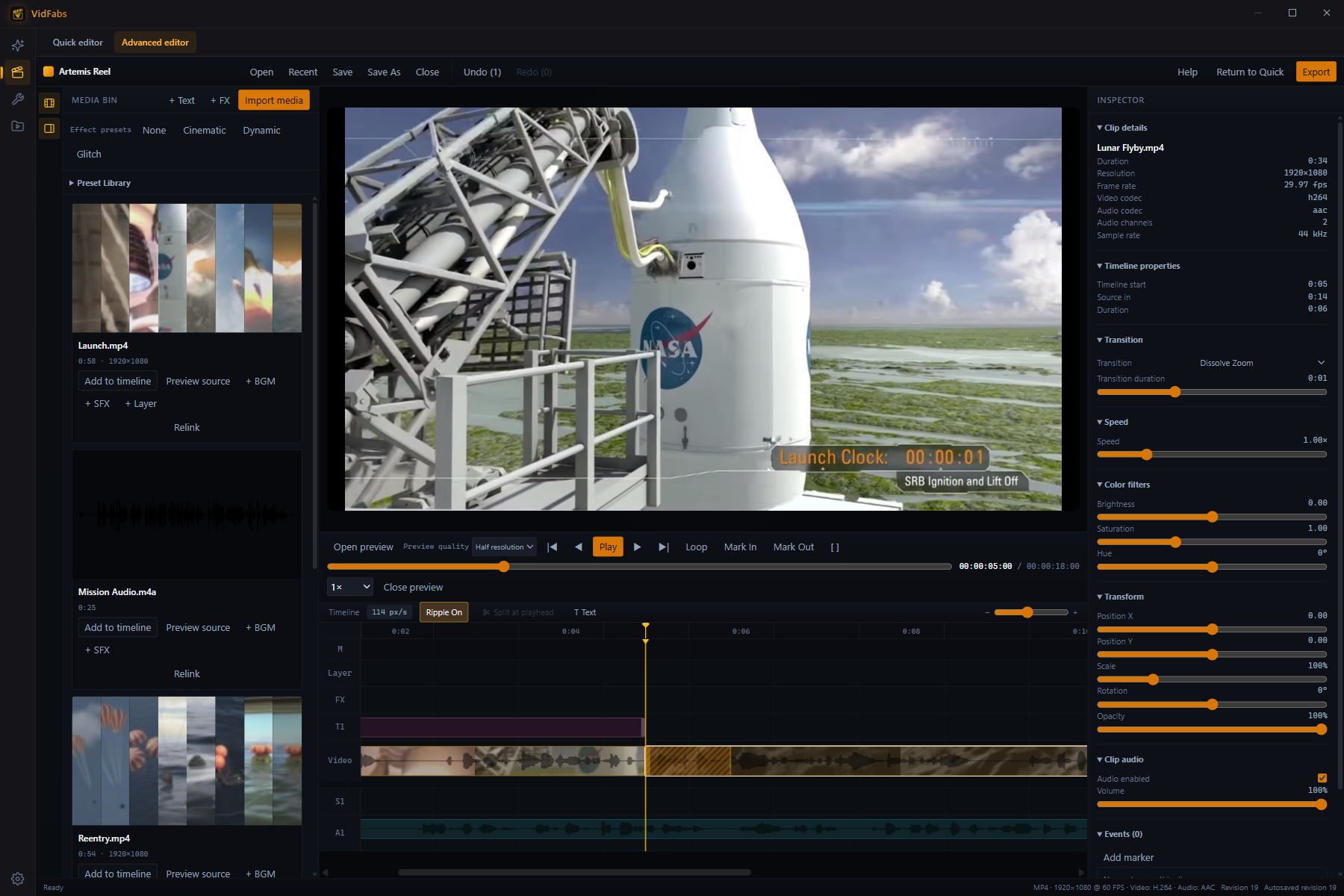
Cut on the exact frame
A project timeline built for precision — every step moves one frame, every cut lands where you put it.
Step one frame at a time
,.←→Move a single frame back or forward. Timecode reads hours, minutes, seconds and frames.
Mark In and Out
IOShift+LSet the range, loop it, and check fast action at 0.25×–2× playback.
Split, trim, ripple
Ctrl+ZCtrl+Shift+ZClips snap to neighbours and the playhead. Split at the playhead, trim either edge, ripple-delete the gap — and undo any of it.
What you see is what you export
Preview and export are rendered by the same local engine, so the frame you approved is the frame you get.
Everything after the cut
ProThe Advanced editor goes well beyond trimming — and every bit of it renders on your PC.
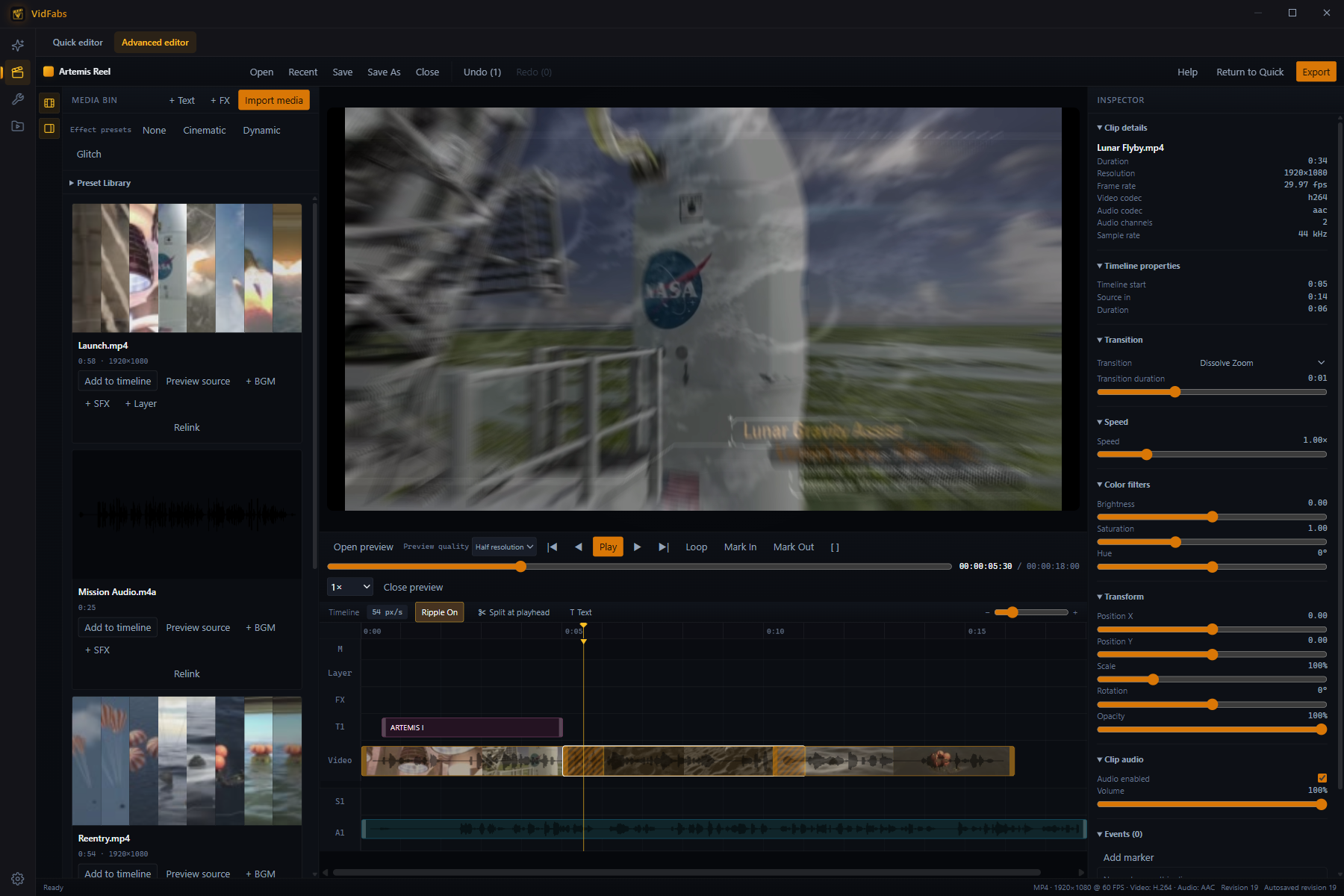
12 transitions
Fade, dissolve zoom, wipes, circle reveal, glitch, pixelate, blur and more — with adjustable duration.
Speed 0.25–4×
Slow a clip right down or speed it up, clip by clip.
Transform & color
Position, scale, rotation and opacity, plus brightness, saturation and hue.
Text, music & sound effects
Dedicated lanes for titles, background music and SFX — each block with its own volume and fade.
Picture-in-picture layers
Picture in picture, split screen or overlay, with four blend modes.
Effects & Preset Library
Nine project-wide effects, plus gaming-clip presets such as Instant Replay, Slow-Mo and Freeze Kill.
Projects that survive crashes
Save as .vfproj, autosave after every edit, recover after an unexpected exit and relink moved media.
Hardware-accelerated export
MP4, MOV or MKV up to 4K at 60 fps — 1080p 30/60 and 720p30 presets or a custom size — with hardware encoding (NVENC, AMF, QSV or Media Foundation, falling back to the CPU) and loudness normalization.
Free, with no watermark
Not on Pro yet? All of this works the moment you install.
Quick editor
Stack up to seven effects — crop, rotate, speed, color, subtitles, text and logo watermarks — on one video and export once at up to 1080p.
12 batch tools
Convert, trim, merge, crop, color, subtitles, watermarks and more — on many files at once.
My Files library
Every import and every export in one place — find, preview and re-open your work.
No account, no time limit, 100% local.
Three steps to export
Import
Drag in your video and audio files.
Let AI clip it, or cut by frame
AI Clips turns long videos into captioned shorts; the Advanced editor lets you fine-tune frame by frame.
Export
Render locally with optional hardware encoding — your video is never uploaded.
Built to run on your PC
Native editing engine
Preview and export come from the same engine, so what you approve is what you get.
Bundled FFmpeg
A reproducible static build — no system dependencies to install.
Hardware encoding
Advanced editor exports use NVIDIA NVENC, AMD AMF, Intel QSV or Windows Media Foundation when available, and fall back to the CPU otherwise. No dedicated GPU required.
Autosave & crash recovery
Projects autosave as you edit and come back after an unexpected exit.
Zero-upload privacy
Video and audio are processed on your device and never uploaded. AI Clips sends only transcript text to the LLM you configure.
Local speech recognition
Multilingual Whisper models transcribe on your PC — audio is never uploaded.
Works with the formats you actually use
Powered by FFmpeg — import and export across containers, codecs and subtitle formats.
Simple pricing
Edit for free with no watermark. Pro unlocks the Advanced editor, AI Clips and advanced export.
Free
- All 12 toolbox tools + Quick editor + media library
- No watermark · 1080p / H.264 export (software encode)
- 100% local processing · zero upload · full privacy
- Unlimited exports · no time limit · no account required
- Toolbox batch (convert / trim / filter, multi-file)
Pro
Everything in Free, plus:
- AI Clips — turn long videos into captioned shorts, up to 10 highlights per video
- Advanced editor — frame-accurate timeline, transitions, text, music & layers, export up to 4K 60 fps (Windows)
- AI Clips batch queue — up to 20 videos
- Quick editor advanced export — H.265, up to 4K, high / highest quality
- Priority updates & support
AI Clips use your own LLM API key (BYOK). VidFabs never bills you for model usage.
Cancel anytime · secure checkout via Polar
Frequently asked questions
Yes. The Quick editor, all 12 Toolbox tools and 1080p export are free with no watermark. Pro adds the frame-accurate Advanced editor, AI Clips, 4K export and the Quick editor's H.265.
No. All editing and rendering happen locally on your PC. For AI Clips, only the transcript text goes to the LLM you configure.
Windows 10/11 (64-bit) today. A macOS version is coming soon and will start with the Quick editor; the Advanced editor is Windows-only.
The Quick editor exports MP4, MKV or MOV in H.264 (H.265 with Pro), or WEBM in VP9. The Advanced editor exports MP4, MOV and MKV in H.264 with AAC audio, up to 4K at 60 fps.
The Quick editor (free) stacks up to seven effects on one video and exports once. The Advanced editor (Pro, Windows) is a project timeline: step frame by frame, split and ripple-trim clips, add transitions, text, music, sound effects and picture-in-picture layers, then export MP4, MOV or MKV.
Yes. AI Clips is a Pro feature and uses your own OpenAI-compatible API key (provider presets or a custom base URL; the key is stored only on your PC, and VidFabs never bills you for model usage). Without a key, even on the free plan, you can try the full pipeline on a sample video; it needs an internet connection to download the sample.
Turn your next long video into shorts
Download free for Windows — upgrade to Pro for AI Clips and the Advanced editor.
Download for WindowsSee Pro plans